Countdown & count-up
Time left or time passed — for trips, birthdays, exams or a chapter of your life.
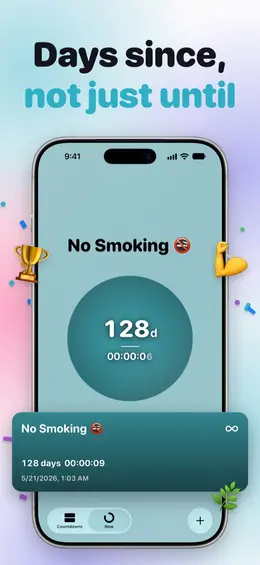
Count down to the days you’re waiting for, or count up from the moments that changed everything.
Time left or time passed — for trips, birthdays, exams or a chapter of your life.
Birthdays and paydays roll over on their own, with rules as flexible as Reminders.
Pick events from your calendar and turn them into countdowns in a tap.
Widgets, Lock Screen, Live Activities and the Dynamic Island tick in real time.
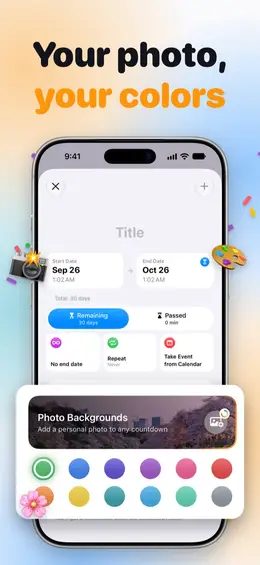
An accent for every countdown, or your own photo as a soft backdrop.
Your countdowns on your wrist, one per screen, plus complications for your watch face.
Titles, dates and photos live on your devices and sync through your own iCloud. We cannot see them.
Import from Calendar reads your events only to let you pick some. Nothing is changed or sent anywhere.
Nothing to sign up for. Reminders are scheduled on your device, with no push server. Crash reports and usage statistics are anonymous and never contain a countdown.
No. There is nothing to sign up for. Your countdowns stay on your devices and in your own iCloud.
Yes. With iCloud on, countdowns, photos and reminders sync between your iPhone and iPad. Apple Watch gets them from the paired iPhone.
Countdowns are free and unlimited, with colours, repeats, calendar import, Live Activities, the Apple Watch app and one added reminder each. Plus adds Home Screen and Lock Screen widgets, photo backgrounds, unlimited reminders and six app icons.
Yes. Tap Repeat for hourly up to yearly, or Custom for any rule, such as the first Monday of each month. When a date passes, the countdown rolls on to the next one. Birthdays from your calendar repeat every year by themselves.
Widgets are part of Plus. If TimeFeel was already on your iPhone before version 3.0.2 and you updated it, they stay free on that iPhone; a new install needs Plus. After buying or restoring Plus, open TimeFeel once and the widgets unlock.

Countdown & progress. Free on the App Store.
Download on the App Store (opens in a new tab)